Friday, September 25, 2009

Skin for Wusikstation!

I've been working on a skin for the synth and effect version of Wusikstation.

This skin works with version 5.8.4 and above,
it's also included within the installer ofversion 5.8.6.
This is a separate dowload of the exact same skin.

Synth (VSTi) version
Effect (VST) version

Thanks to KVR community for betatesting and bugreporting during the building phase of this skin, also thanks to WilliamK author of the Wusik products for all the input and finally letting the skin be included in the installer.

Friday, August 21, 2009

Scanned Synth - skins updated

Humanoid Sounds has updated their synth ScannedSynth2 to version 2.0.10. The update contains a new built-in preset manager and also a correction for a project saving bug with the presetbanks (AU version).

The new preset manager needed to be skinned so that's what this skin update is about.
You can see in the screenshot, I've added the preset manager and the "rename preset" button at the bottom of the gui below the ScannedSynth logo.

Download file here: ScannedSynthPro2_lf_One_1.04

Tuesday, August 11, 2009

Jeskola Buzz - Brightlime theme

Jeskola Buzz is a freeware modular tracker,
a very powerful application if you are into trackers.
Since Buzz is now updated again I've made a theme for my own pleasure but I will share it to anyone who wants it too.
You can download the theme here: Brightlime


Saturday, August 8, 2009

Blue Cat Audio Skins

There are 3 new skins for Blue Cat Audio's Products available to download at Blue Cat's website.
Or you can download them all in one file right here:
BlueCatAudio skinbundle

The skinned plugins are the
Dynamics, Protector and StereoChorus.

Only the stereo version of the Dynamics plugin is skinned, a mono version might be coded later on.

Friday, July 24, 2009

Jeremy Evers Atlantis - Skins updated to version 1.04

With the Update to version 0.9P of the Atlantis virtual synthesizer and filter plugin Jeremy added support for .png files and the use of their alphachannel for transparency.

Again I have updated my skins, and finally been able to eliminate some small bugs that has been bugging me for a long time.

These skins are available to use in both the synthesizer and the filter effect plugin.

Get the new version of the skins from the following link below.
Atlantis skins v1.04
Extra Pack 1


Also be sure you have the latest version of Atlantis, available for free at Jeremy's website :
http://www.jeremyevers.com/

Installation:


Download the skins .rar-file.
Extract the .rar-file to Atlantis's 'Skins' folder.
Load up Atlantis in your Vst host, click the 'config' button on the gui and select your skin.

Tuesday, July 21, 2009

Oatmeal Lumina - Updated to 'r5'

There was a bug with the faders on this skin, they did not respond to 'rightclicking' and finetuning. This is fixed in the 'r5' version.

LF_Lumina_r5

Saturday, July 11, 2009

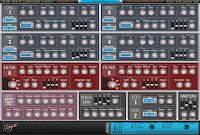
Arguru Voyager - New skin made with help of Asseca

This time the new skin is a co-op with Asseca, I created all the graphics and Asseca implemented those using his own program mGui, we can now present you with 3+1 new skins for Voyager!
-Updated to version 1.04
  • Added presethandler at the top bar of the gui.
  • Removed the designer button, no more "moving objects around" accidents.
  • The "missing some steps when clicking displays" bug is fixed by Asseca.
  • Osc2 waveform and mirrorwaveform were mixed up, now fixed.
  • Skin4 modified.
Installation:
First of all to use this skin you'll need to download mGui from Asseca's website (mGui.exe).

mGui needs to be installed in your
plugins directory,
mine would be [D:/Vstplugins].
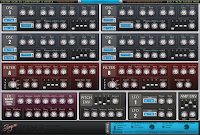
So, now you've installed mGui and for me it would look like this [D:/Vstplugins/Asseca]

Download this skin file:
LF_Voyager_mGuiskin.rar
and extract it to the [Asseca/] folder.
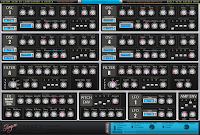

-This step is very important!
Now you need to download Voyager and install it to the [Asseca/asData/plugins] folder,
if you already have voyager just move it to the same folder.
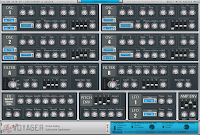


Start mGUIman.exe, located in the [Asseca/asData] folder.
Click the "UPDATE ALL DLLs" button located in the top left corner.

Start your Vst host and load the "Voyager_Gui" plugin, enjoy!

If you want to change a skin or a presetbank, rightclick an empty space on the gui and you will get a popup menu where you can handle presets and skins.